
How to split a restaurant bill fairly, item by item
The bill arrives, someone puts it on their card, and the table goes quiet. Do you just divide it by four? That's quick, but it isn't always fair. If one person had a salad and iced tea while another had a burger and a couple of beers, an even split quietly asks the light eaters to pay for everyone else.
To split a restaurant bill fairly, each person pays for what they ordered, shared dishes are divided among the people who ate them, and tax and tip follow along. Below is a simple method, a worked example with example numbers, how to handle tax and tip, and how to do it in a couple of minutes with SplitSlip.
Split evenly or by item?
An even split works well when everyone ordered roughly the same, when you shared everything family-style, or when the total is small. Splitting the bill by item is worth it when orders differ: some people drink and some don't, some have three courses and others have one, or someone arrived late and only had dessert.
A simple rule of thumb: if the gap between the biggest and smallest order is more than a drink or two, split by item. Once the bill is entered, it takes very little time.
How to split a restaurant bill by item
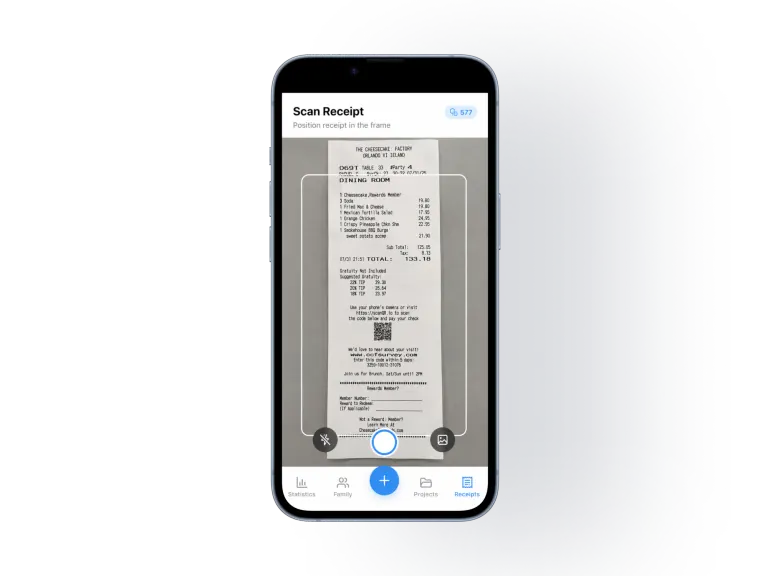
- Get an itemized receipt. Ask for a receipt that lists every line, not just the total, and take a photo before you leave.
- Mark the personal items. Go line by line and note who had what: mains, drinks, their own dessert.
- Split shared items among the people who shared them. An appetizer three people ate is split three ways, not across the whole table.
- Agree on the tip. Should it follow what each person ordered, or is someone covering more?
- Handle tax the same way as the food. Tax is charged on what each person ordered, so the fair approach is to share it in proportion to each person's items.
- Check the total. Everyone's shares should add up to exactly what was paid.
- Share the breakdown and settle up. The person who paid gets paid back by everyone else.
Worked example: dinner for four
All numbers below are example numbers, not real prices from a specific restaurant. Alex, Sam, Priya and Jordan go out for dinner, and Alex pays the whole bill on a card.
| Item | Price (example) | Who had it |
|---|---|---|
| Burger | $18.00 | Alex |
| Salmon | $26.00 | Sam |
| Caesar salad | $14.00 | Priya |
| Pasta | $21.00 | Jordan |
| Beer | $8.00 | Alex |
| Beer | $8.00 | Jordan |
| Iced tea | $4.00 | Priya |
| Nachos (shared) | $15.00 | Alex, Sam and Jordan |
| Cheesecake (shared) | $12.00 | Sam and Priya |
| Subtotal | $126.00 | |
| Sales tax (8%, example) | $10.08 | |
| Tip (20% of subtotal, example) | $25.20 | |
| Total paid | $161.28 |
The nachos are split three ways ($5.00 each) and the cheesecake two ways ($6.00 each). Tax is shared in proportion to each person's items, and in this example the group agreed to share the tip the same way:
| Person | Items | Tax share | Tip share | Owes in total |
|---|---|---|---|---|
| Alex | $31.00 | $2.48 | $6.20 | $39.68 |
| Sam | $37.00 | $2.96 | $7.40 | $47.36 |
| Priya | $24.00 | $1.92 | $4.80 | $30.72 |
| Jordan | $34.00 | $2.72 | $6.80 | $43.52 |
| Total | $126.00 | $10.08 | $25.20 | $161.28 |
So Sam owes Alex $47.36, Priya owes $30.72 and Jordan owes $43.52. Alex's own share is $39.68.
An even split would have been $40.32 each. Priya would have paid $9.60 more than her share and Sam $7.04 less. Small amounts, but exactly the kind of difference that leaves someone quietly annoyed, especially when it happens every time you eat out.


How to split tax and tip fairly
Tax. Sales tax is charged on the food and drinks, so it makes sense for it to follow the items. In SplitSlip, tax is distributed proportionally to each person's items automatically. In the UK, prices aimed at the general public include VAT, and a VAT line on a receipt only shows the tax already included in the price (GOV.UK: where you see VAT), so there is nothing extra to split. If a restaurant adds a separate service charge, SplitSlip shares that in proportion to each person's items too.
Tip. The tip is something the group should agree on. Common choices:
- In line with what each person ordered, as in the example above.
- One person covers it, or someone adds a bit extra.
Don't add tax or tip as extra items in the app. That would count them twice.
How to split the bill by item in SplitSlip
- Create a project for the dinner, or use one you already have for the group.
- Add the bill. Add it by hand for free, or scan it. The AI scan reads the receipt into line items. Check the items and amounts before you assign them.
- Add people, including friends who don't have the app, as guests.
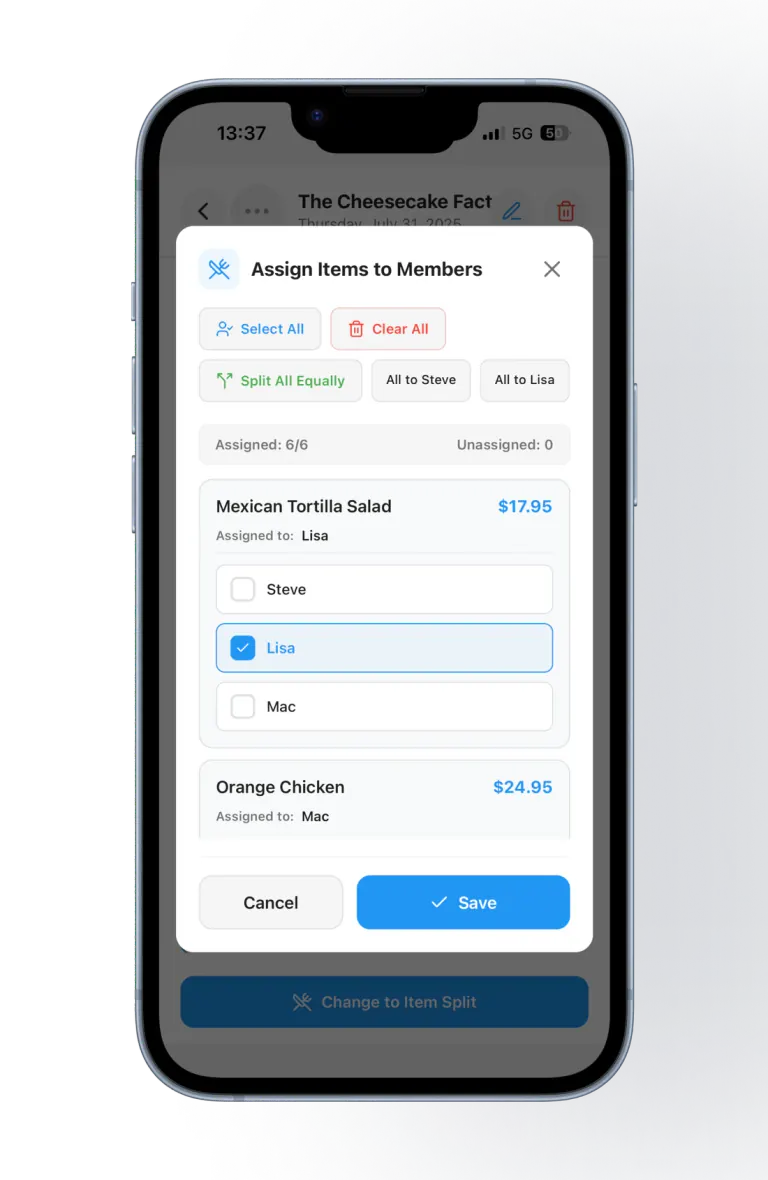
- Assign the items. Give each dish or drink to the person who had it, and split shared items among the people who shared them.
- Check the total. Tax follows each person's items, and everyone's shares should add up to what was paid.
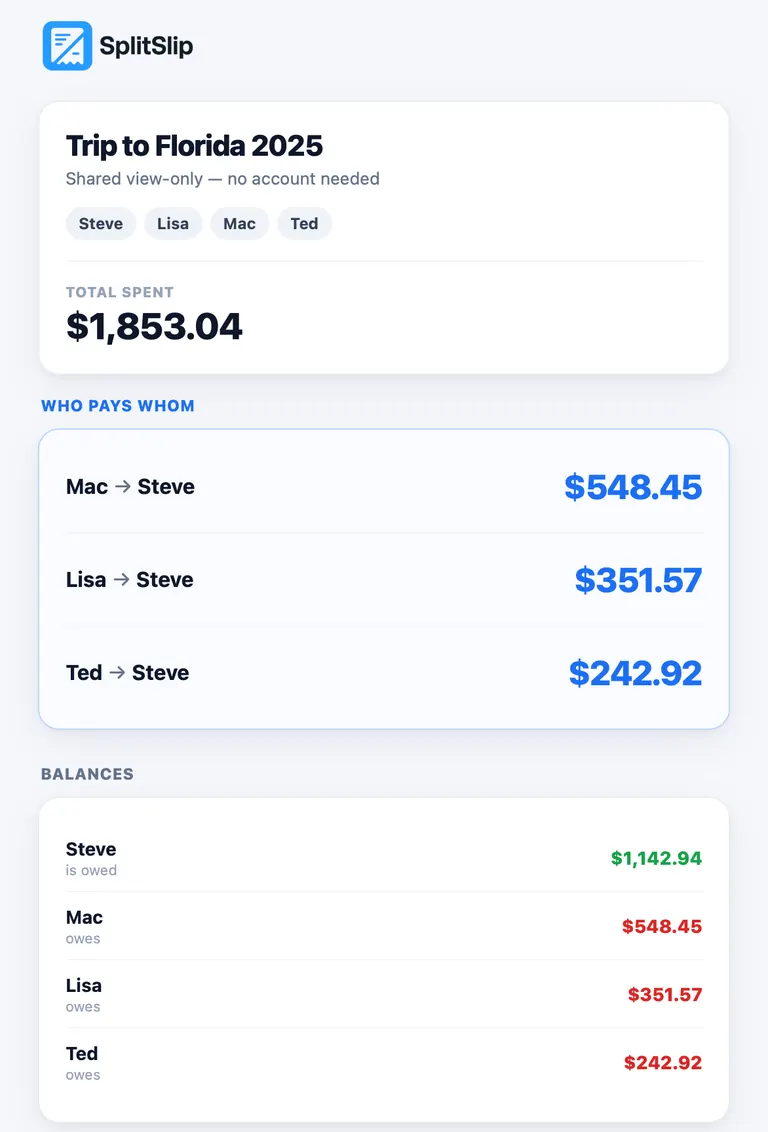
- Share the guest link. Friends open it in their browser and see the items, the split and what they owe. The link is view-only, and they don't need to install anything to see it. To join the project and edit, they install SplitSlip and sign in.
- Settle up outside the app. SplitSlip shows who owes what. The money moves the way your group already pays each other.
Want to know more about scanning? Read about the SplitSlip receipt scanner.
What's free?
SplitSlip's core features are free forever, and manual entry is always free, so you can split a bill without paying anything by adding it by hand. AI scanning is optional: you get 50 free AI scans, and after that, more AI scans are available as in-app purchases.
Five tips for splitting at the table
- Agree before you order whether you're splitting evenly or by item, so nobody is surprised when the bill comes.
- Let one person pay. One payment at the table and one clear settle-up afterwards is easier than four cards and napkin maths.
- Photograph the receipt before you leave. Paper receipts disappear fast.
- Assign shared dishes straight away, while everyone remembers who ate what.
- Send the breakdown the same evening. It gets settled while it's fresh, and nobody has to chase anyone.
The same method works for other shared receipts too, like a big grocery run for a weekend away or a group takeaway order. Read more about how to split expenses with friends, or compare SplitSlip as a Splitwise alternative.
FAQ: splitting a restaurant bill
How do you split a restaurant bill by item?
Go through the receipt line by line, give each dish or drink to the person who ordered it, and split shared items among the people who shared them. Everyone's shares should add up to what was paid. In SplitSlip you add the bill by hand for free, or scan it, and assign the items in the app.
Can we split the bill evenly instead?
Yes. SplitSlip supports both an even split and splitting by item. An even split works when everyone ordered roughly the same.
How is tax split?
Tax is distributed proportionally to each person's items. Don't add tax or tip as extra items in the app, or they will be counted twice.
Do my friends need to download the app?
Not to see what they owe. The guest link opens in the browser, is view-only and needs no install. To join the project and edit, they install SplitSlip and sign in.
Can we pay each other inside SplitSlip?
No. SplitSlip shows who owes what. The money moves outside the app, the way your group already pays each other.
Is SplitSlip free?
Core features are free forever, and manual entry is always free. You get 50 free AI scans, and after that, more AI scans are available as in-app purchases.
What if the scan reads the receipt wrong?
Always check the items and amounts after scanning, before you assign them. You can also add the bill by hand instead.
Try it at your next dinner
Add the bill by hand for free, or scan it, assign the items and send your friends a guest link.
Get SplitSlipOr go straight to the App Store or Google Play.