Personal
Keep your own receipts in one place. Save and search store, date, and items.

Free core features · 50 free AI scans, then in-app purchases
Scan or add a bill, assign items, then share a guest link so friends can view what they owe.


Guest link = view only · Settle outside the app

Keep your own receipts in one place. Save and search store, date, and items.
Shared household buys in one family space. See household spending without mixing it into a trip group.
Dinners, trips, friends. One project per group so everyone sees the same bills.
The difference
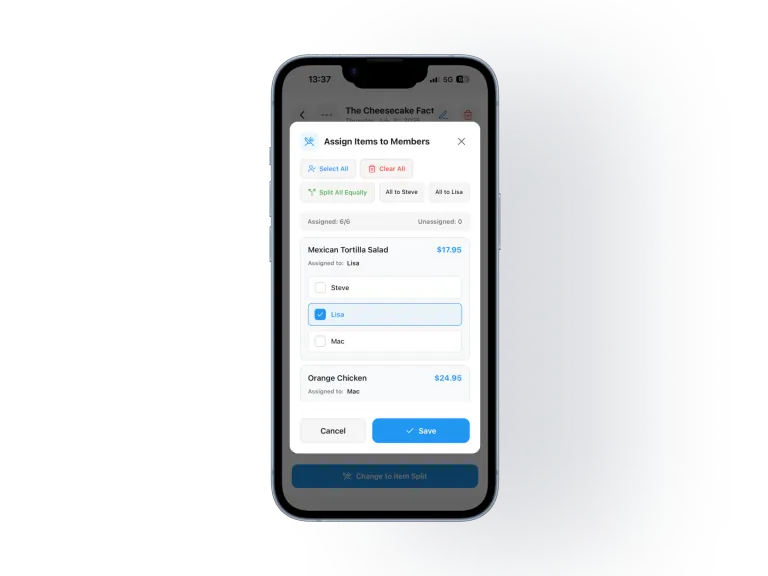
Assign line items — e.g. Burger→Steve, Salad→Lisa — not just 50/50. Then everyone sees who owes what.
Receipt → Items → People (including guests) → Share → Settlement.
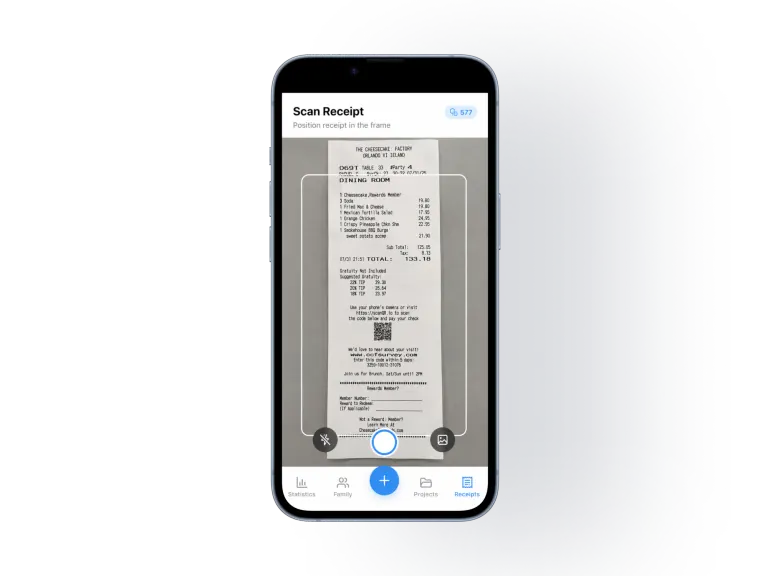
Snap the receipt (or add it by hand for free).
Free to download
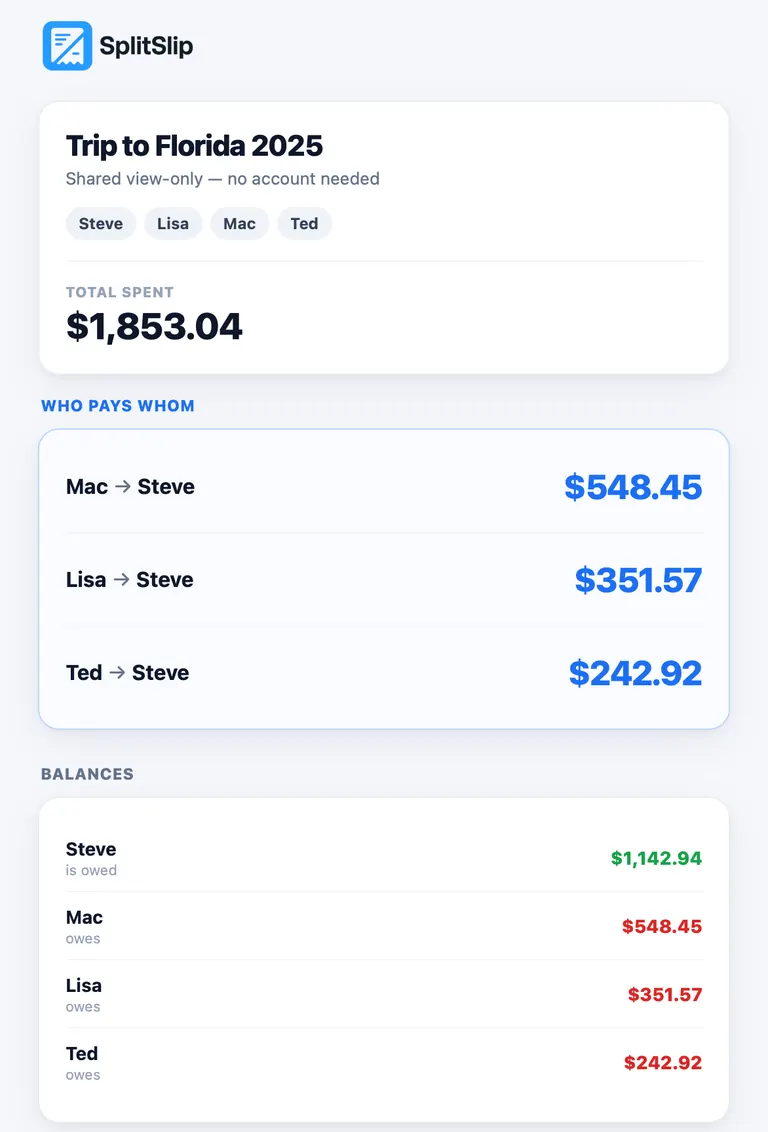
Add guests and share a guest link. Friends view items, balances, and who owes whom in the browser — no app or login to look. To join and edit, they install SplitSlip and sign in.
Store, date, total, currency and line items — so you can search by store or product.
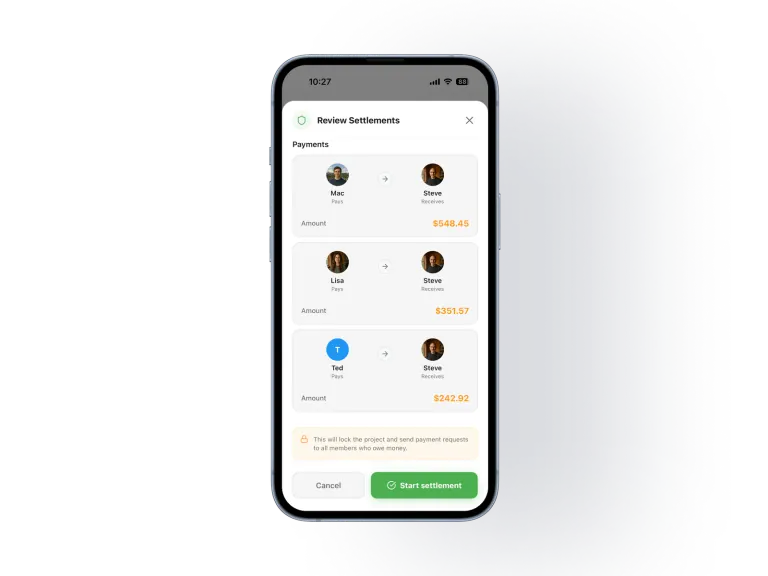
Even or custom shares. We compute settlements for you.
Core SplitSlip stays free: add expenses, split, invite friends, sync to the cloud. Want speed on long receipts? Optional AI scans include 50 free, then scan packs in the stores.
Core
Free core features
Convenience
50 free, then packs
Need more AI scans? Buy a scan pack in the App Store or Google Play. Manual expenses stay free.
Looking for a modern Splitwise-style splitter? Core tracking is free, and AI receipt scanning is optional: 50 free AI scans, then in-app purchases. Compare → Sammenlign → Comparer → Comparar →
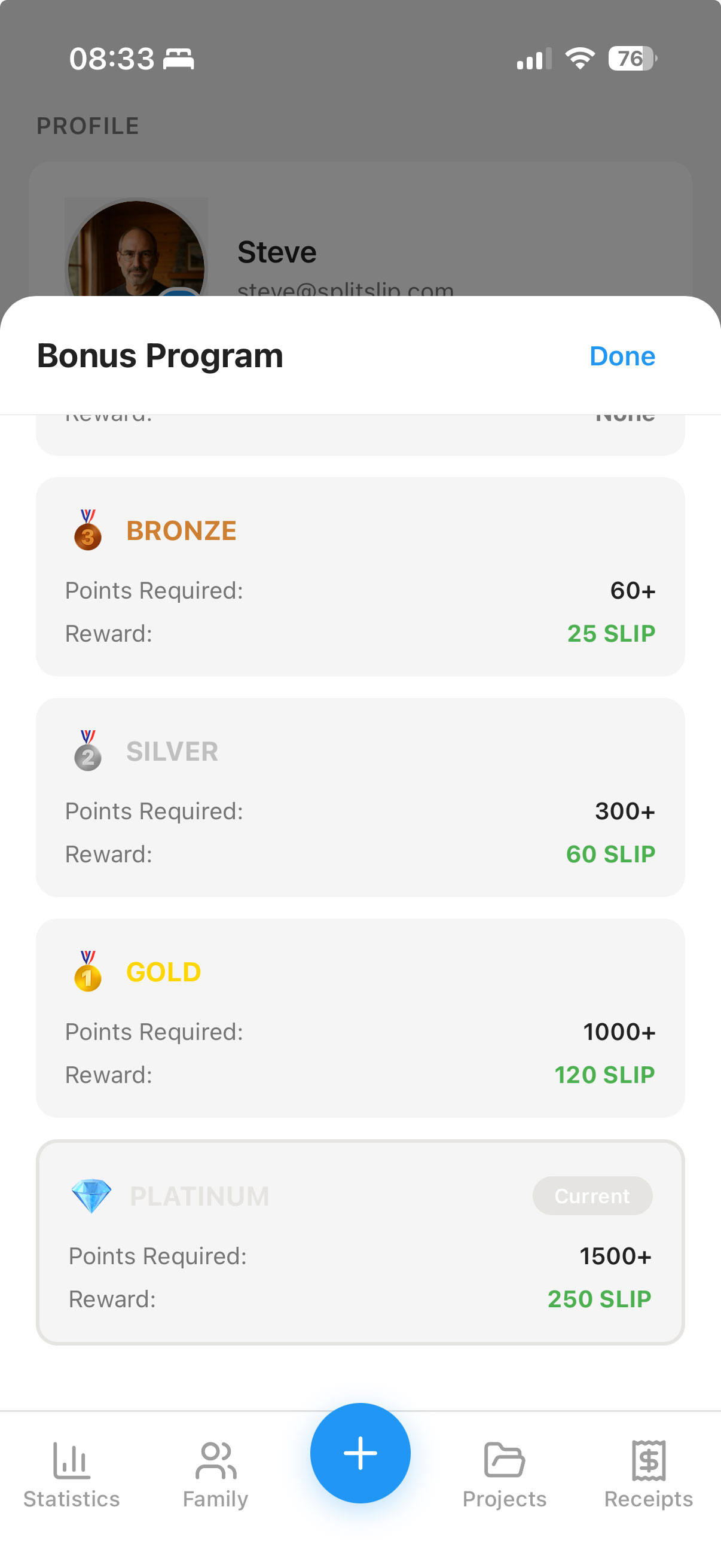
Earn points as you scan. Levels unlock free scans over time — a loyalty benefit while you keep splitting fairly.
Bronze → Silver → Gold → Platinum
Learn about rewards → Les om belønninger → Learn about rewards → Descubre las recompensas →Short answers on scanning, splitting, and settling.
Yes. Core SplitSlip is free: add expenses by hand, split with your group, invite friends, and keep everything in the cloud. AI receipt scans are optional: 50 free AI scans, then in-app purchases.
Yes. Assign each dish or line to the person who had it, and split a shared item across the people who had it. Use an even split when everyone shared it the same way. A guest link is view-only in the browser. To join and edit, they install SplitSlip and sign in. You settle the money outside the app.
Add the bill by hand, or scan the receipt if you want. Assign each dish or drink to the person who had it. A shared item, such as an appetizer, can be split across the people who had it. Split the whole bill evenly only when everyone shared it the same way. Typing the items in stays free. Friends can open a guest link in the browser, and that link is view-only. To join and edit, they install SplitSlip and sign in. You settle the money outside the app.
Add friends as guests and share a project link. They can view items, balances, and who owes whom in the browser without installing or signing in. That guest link is view-only. To join and edit, they install SplitSlip and sign in. You organise the split in the app.
SplitSlip shows what everyone owes and helps you track who paid. You settle money outside the app. SplitSlip is not a Vipps, card, or bank payment rail.
AI scans are optional. After 50 free scans, you can buy scan packs in the App Store and Google Play. Manual expenses, splits, invites, and cloud stay free.
Yes. SplitSlip is a modern Splitwise-style expense-splitting app: free core tracking and splits, optional AI receipt scanning (50 free AI scans, then in-app purchases), and settle-up tracking in the app while you pay outside it. SplitSlip is independent and not affiliated with Splitwise.
Get SplitSlip to organise the split. Assign items — including guests — and share a guest link so friends can view what they owe. Settling money happens outside SplitSlip.