No daily expense cap on free manual logging
Add manual expenses whenever you need to. There is no daily limit.

A free Splitwise alternative
Free forever for manual expenses and item assignment. Optional AI scans: 50 free, then scan packs. Share a guest link so friends can view what they owe in the browser (read-only). Settle money outside the app.
Everyone pays for what they actually had.
Add manual expenses whenever you need to. There is no daily limit.
Focus on the people and the bill — no ads in the core SplitSlip experience.
Manual entry and item assignment are free.
Friends see balances read-only without installing. The organiser uses the app. To join or edit, they install SplitSlip and sign in.
Checked September 2026. Splitwise details below come from its official documentation. Features and terms may change.
| Feature | SplitSlip | Splitwise Free | Splitwise Pro |
|---|---|---|---|
| Manual expenses per day | No daily limit | Daily limit applies [1] | Unlimited [1] |
| Ads | No ads | Ad-free experience advertised with Pro [2] | Ad-free [2] |
| Manual item splitting | Free in the app | Web itemization documented [3] | Web itemization; scanned items on mobile [3] |
| AI receipt scanning | 50 included, then optional scan packs | Pro feature [2] | Included [2] |
| Add people by name only | Guests in the app | Placeholders on the web [4] | Placeholders on the web [4] |
| Browser view without a guest account | Read-only project link | Not documented in the sources checked [4] | Not documented in the sources checked [4] |
| Subscription for receipt features | None; extra AI scans are optional purchases | Pro needed for mobile scanning [2] | Paid subscription [2] |
| Settlement tracking | Pending and confirmed payments | Record payments and balances [5] | Record payments and balances [5] |
Splitwise also supports unequal splits and manual web itemization. Adding a placeholder is different from letting that person view a project without signing in.
Official Splitwise sources: [1] Splitwise · [2] Splitwise · [3] Splitwise · [4] Splitwise · [5] Splitwise


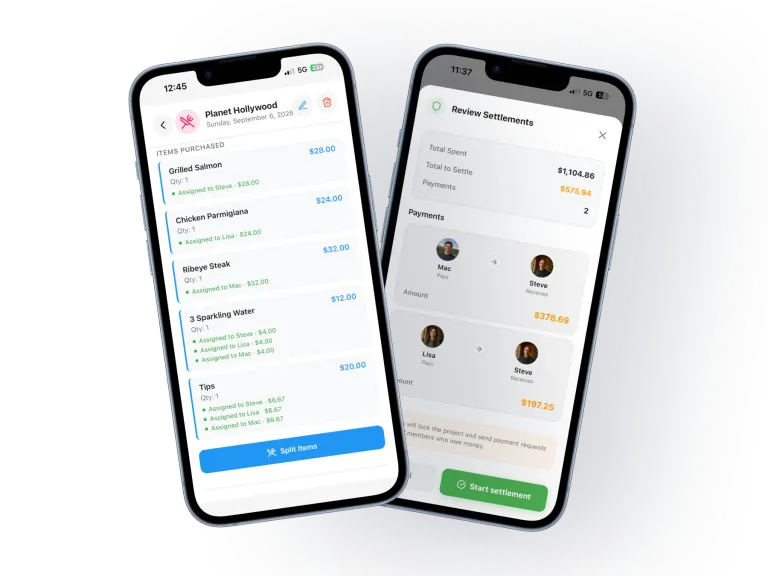
When everyone orders something different, dividing the total is not always fair. Start with the receipt, assign each item and share only what was shared. For example: Steve’s burger, Lisa’s salad and a dessert split between them. Add Ted as a guest for his items.
Receipt → Items → People → Settlement
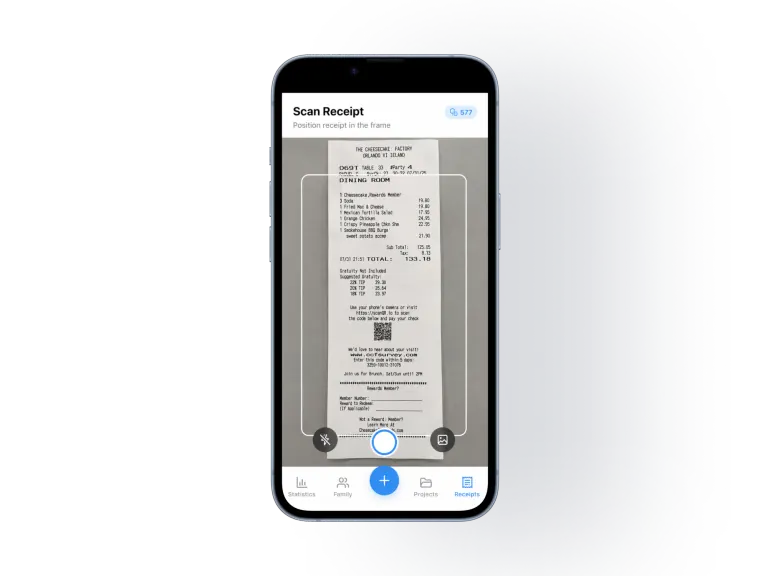
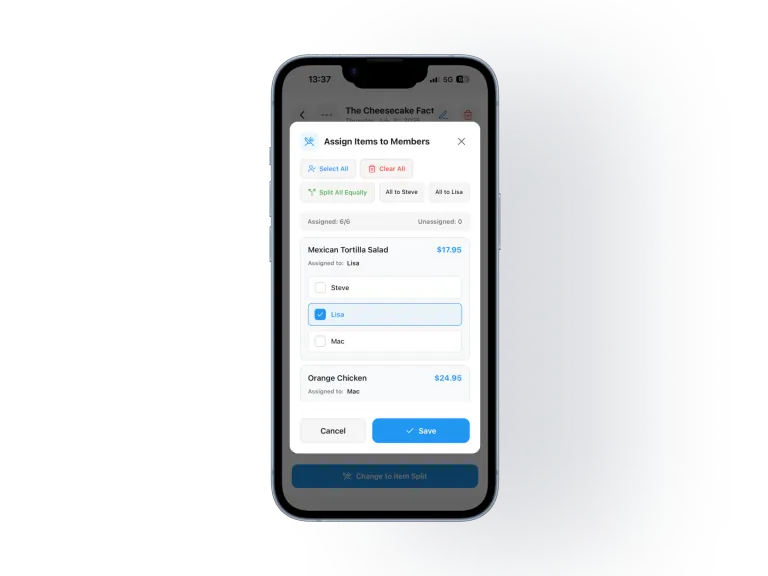
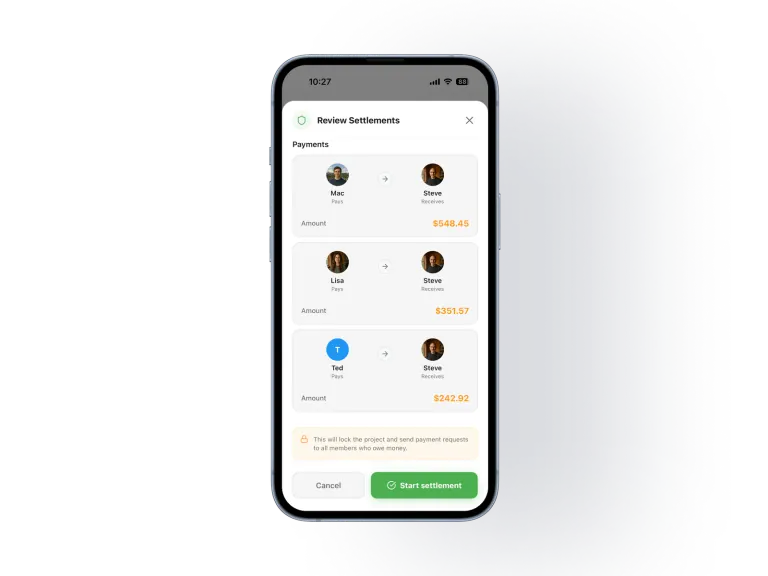
Actual SplitSlip screens. The restaurant example above illustrates the workflow; the screenshots show separate steps and expenses.
Share a guest link so friends can view what they owe in the browser (read-only). To join or edit the project, they need to install SplitSlip and sign in. You organise in the app.
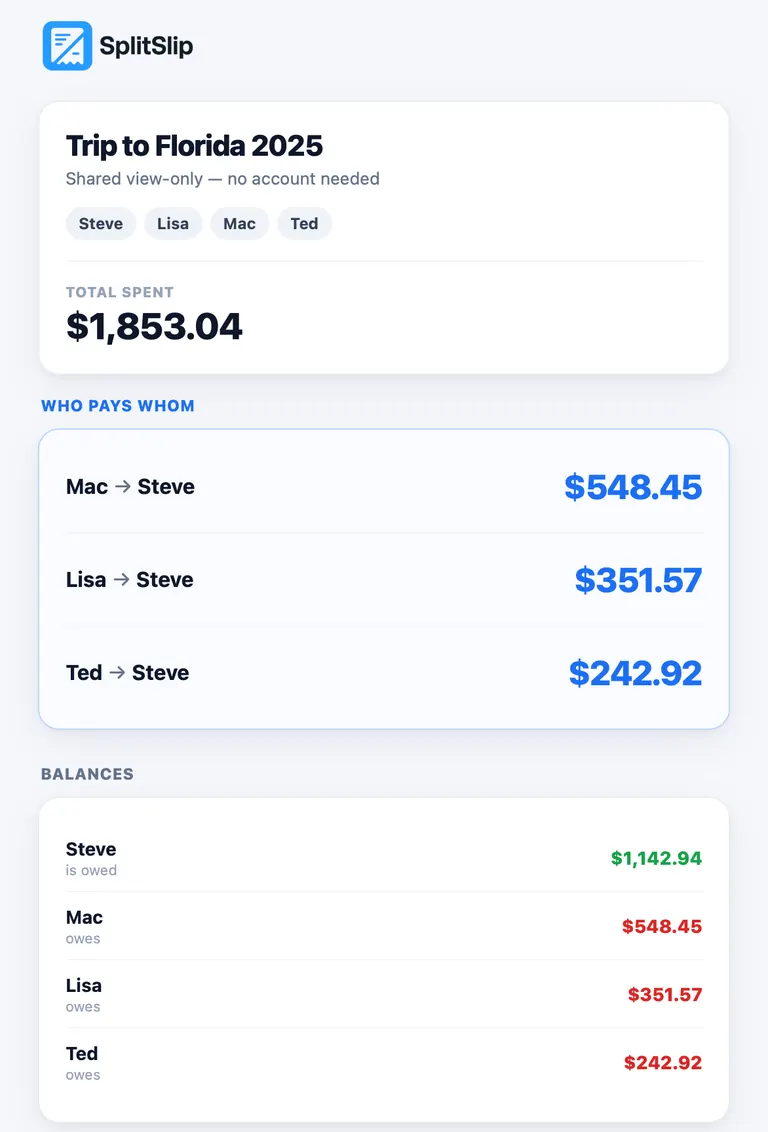
When everyone is ready, start settlement. SplitSlip calculates who should pay whom and keeps track of pending and confirmed payments.
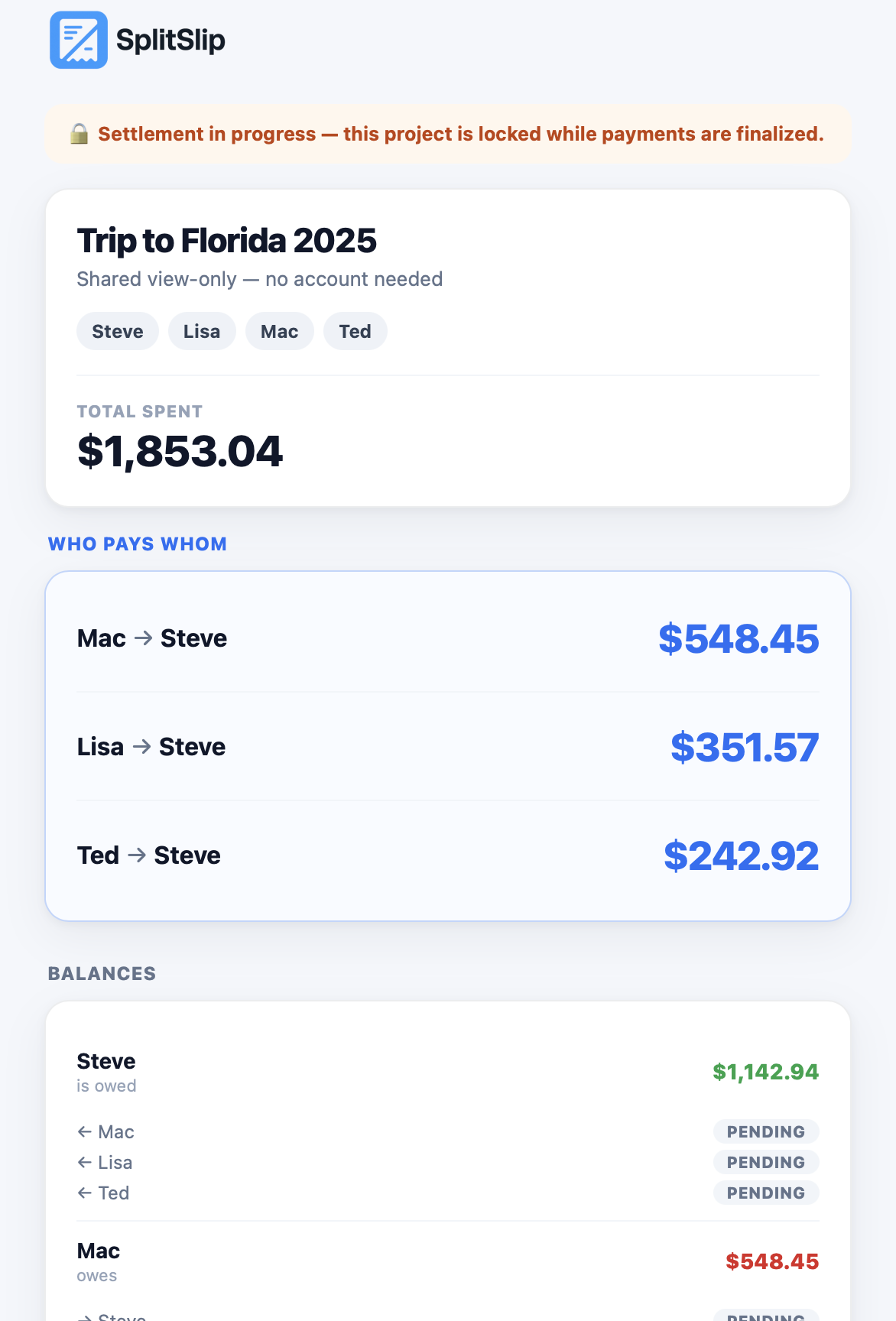
Money is transferred outside SplitSlip. The shared view shows payment status; it does not send money.
Split receipts by item when everyone ordered something different.
Keep shared expenses together, including friends who join as guests.
Keep personal receipts and family spending organised between trips.
Split by item when everyone ordered something different.
The organiser uses the app; others can view balances through a guest link (read-only).
Manual logging has no daily cap, core has no ads, and item splitting is free. Optional AI scans: 50 free, then scan packs.
If your friends already use Splitwise together, staying may be simpler than moving the group.
If you need Venmo or PayPal settlement deep-links as the main way to pay, Splitwise is a better fit. SplitSlip tracks who owes whom; you settle money outside the app.
No. Manual expenses have no daily limit in SplitSlip.
Friends can view via a guest link (read-only in the browser). To join or edit, they need to install SplitSlip and sign in. The organiser uses the app.
Yes. Assign each dish or drink to the person who had it, or split a shared item across the people who had it. You do not have to divide the bill 50/50. Friends can view a guest link in the browser, and that link is view-only. To join and edit, they install SplitSlip and sign in. You settle money outside the app.
No. Manual receipt entry and item assignment are free.
You get 50 free AI scans, then optional scan packs. Manual expenses and item splitting remain free.
Buy scan packs when you need them. Manual expenses and item splitting remain free.
There is no direct Splitwise group import at present. Start a new project in SplitSlip and add the people and expenses you need.
The guest link is read-only. Reload the page to see the latest project data.
No. Settle money outside the app.
No. Pay outside SplitSlip, then track pending and confirmed payments in the app.
Start your first split for free. No subscription. No credit card.
SplitSlip is independent and is not affiliated with or endorsed by Splitwise.