
A SuperSplit alternative for splitting receipts by item
Free item splitting · 50 free AI scans
You organise the project in the app. Friends view the shared overview through a guest link in the browser (read-only) — no app or login to look.
Download SplitSlip free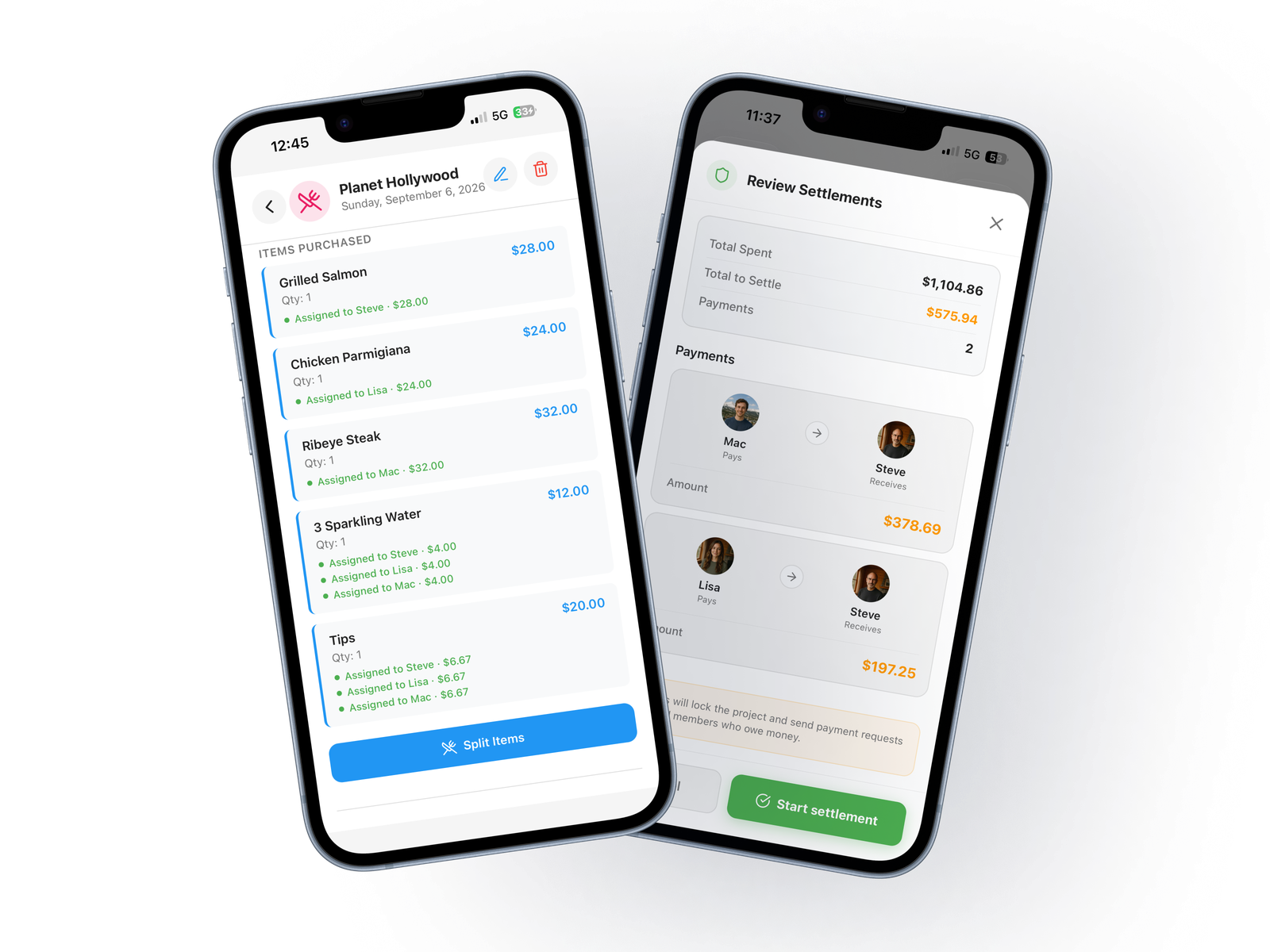
SplitSlip vs. SuperSplit
Both apps offer free expense tracking and a browser view. SuperSplit's web view needs a sign-in. The useful distinction is how you split a receipt into items and how you pay for optional scanning.
| Feature | SplitSlip | SuperSplit Free | SuperSplit Pro |
|---|---|---|---|
| Manual expense tracking | Free | Free, unlimited expenses and groups | Included |
| Assign receipt items to people | Included in the free core | Receipt-line assignment not confirmed in public documentation | Receipt-line assignment not confirmed in public documentation |
| Receipt scanning | 50 free AI scans, then optional scan packs | Not listed in the free plan | Included |
| View a group without an account | Read-only project link | Web view after sign-in (no install needed) | Same as Free (sign-in required) |
| Scanning payment model | Buy scan packs when needed | No scanning listed | Pro subscription (yearly or monthly) or one-time lifetime purchase |
| Settlement | Track who owes whom; pay outside the app | Smart settle-up included | Included |
SuperSplit documents equal, exact-amount, percentage and share-based splitting. That does not by itself confirm assignment of individual receipt lines. “Not confirmed” does not mean unavailable.
Checked October 22, 2026. SuperSplit features and purchase options are based on its official site; terms may change. SuperSplit, pricing and FAQ.
One dinner. Two different shares.
Steve has an €18 burger, Lisa a €12 salad, and they share a €10 dessert. In SplitSlip, assign each main course to the person who had it and split dessert equally.
Steve: €23 · Lisa: €17 · Total: €40
Enter the receipt by hand for free, or use an optional AI scan and check the result. This example shows the SplitSlip workflow; it is not a claim that SuperSplit cannot produce the same totals.


Receipt → Items → People, including guests → Share → Settlement
Steve ordered a burger, Lisa a salad, and both shared dessert. Enter the receipt manually or scan it, check the items and assign them to the people who had them. Share dessert between both. You can also split an expense evenly when that fits.
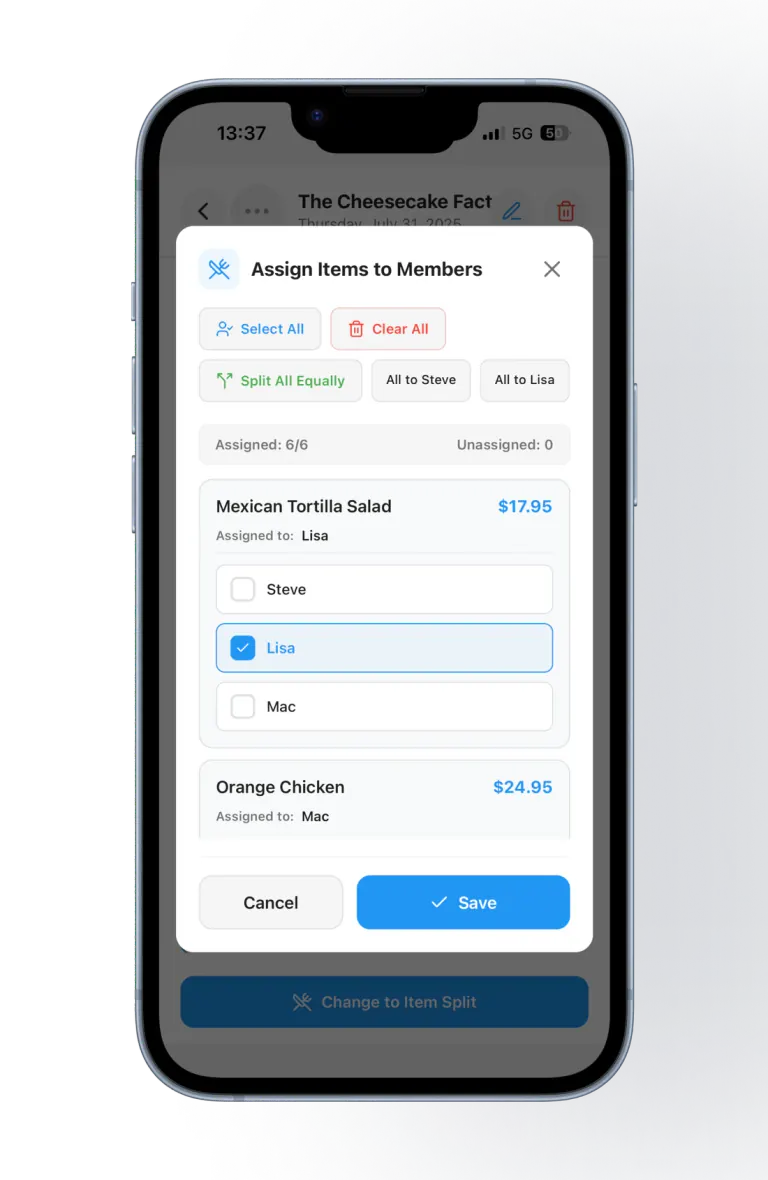
Manual entry and item splitting are free. AI scanning saves typing and is optional: 50 free scans to start, then scan packs in the App Store and Google Play. Check the result before assigning items.
What your guests see
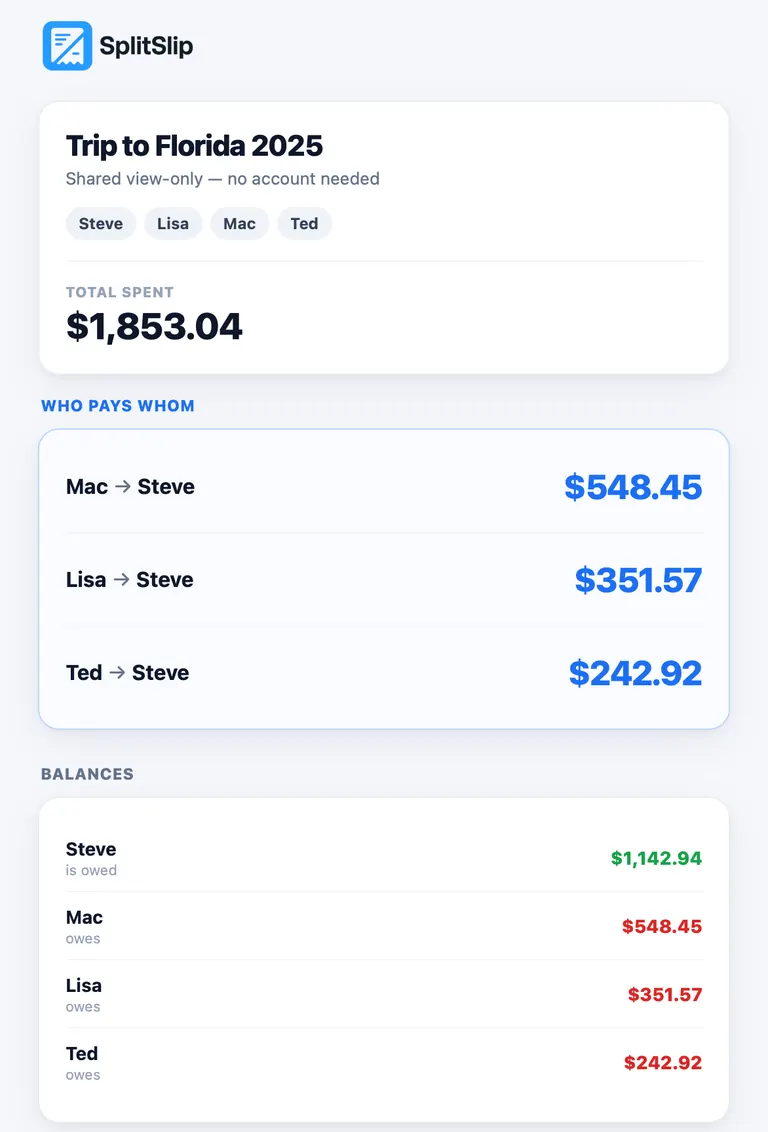
Add friends as guests and share the project link. The guest view can show expenses, receipt items and their assignments, balances and settlement status. Open an expense to see its items. Guests can view, not edit. Reload the page to fetch the latest overview; it does not refresh automatically.
Follow settlement progress
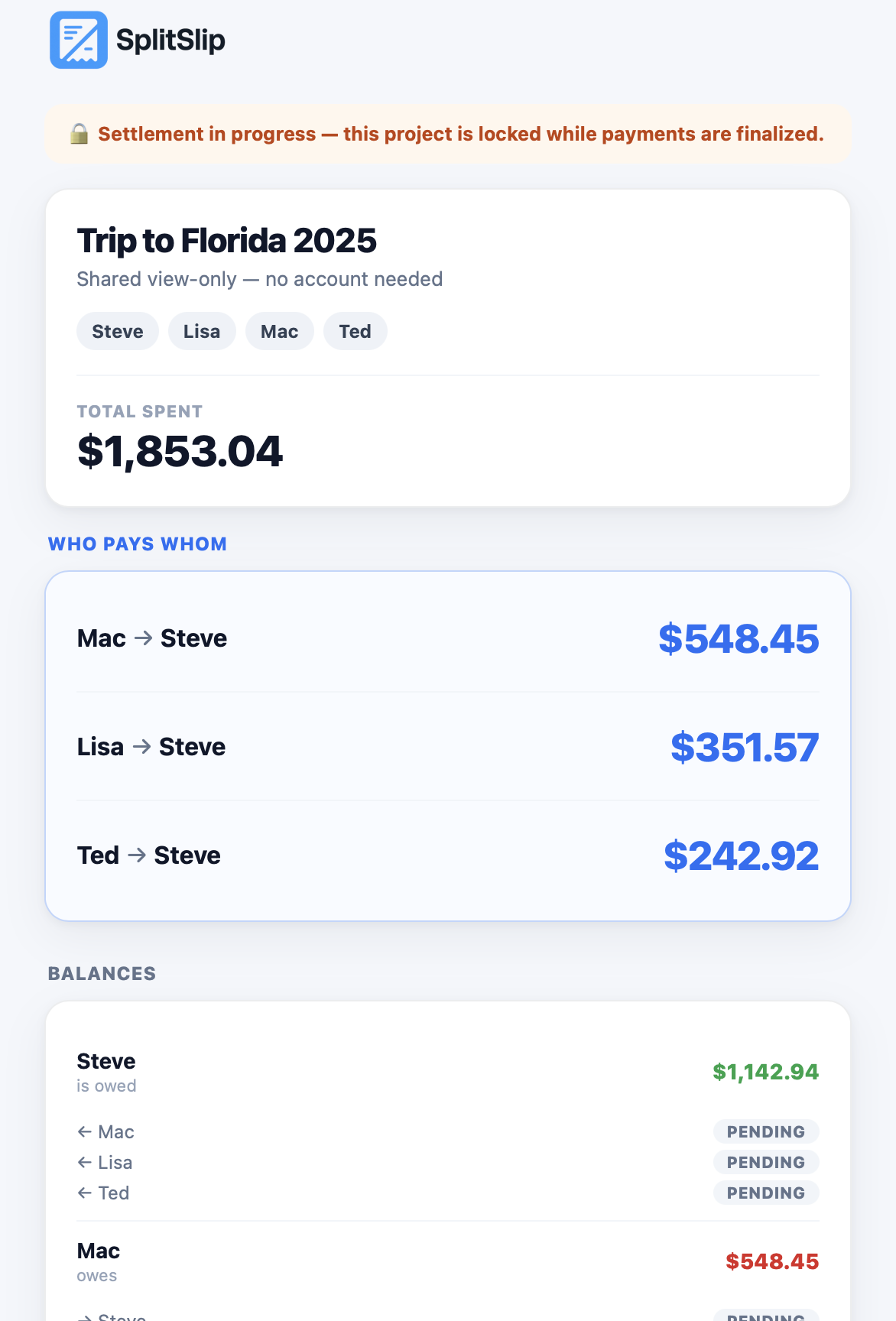
During settlement, the shared view shows that the project is locked and displays payment status. The screenshot shows pending payments, not completed transfers. Pay outside SplitSlip and track settlement in the app. The guest view displays the status; it does not send money.
Frequently asked questions
Is item splitting free?
Yes. Manual entry and item assignment are included in the free core. AI scanning is optional.
Can we split equally too?
Yes. Split evenly when everyone shares an expense equally, and by item when purchases differ.
How do I split a restaurant bill by item?
Assign each dish or drink to the person who had it, and split a shared item, such as dessert, across the people who had it. Split evenly when everyone shared it the same way. Friends view a guest link in the browser, and that link is view-only. To join and edit, they install SplitSlip and sign in. You settle the money outside the app.
Do my friends need the app?
You organise the project in the app. Friends view the shared overview through a guest link in the browser, and that link is view-only. To join and edit, they install SplitSlip and sign in.
Does the guest link update automatically?
No. Reload the page to fetch the latest project overview. Guests can view but cannot edit.
Can I import from SuperSplit?
We do not promise automatic imports from SuperSplit. Start a new project and add the expenses you want to share.
Also compare
SplitSlip vs. SplitwiseSplitSlip is independent and is not affiliated with or endorsed by SuperSplit.
Which approach fits your group?
Choose SplitSlip for a receipt-first workflow
Start with the receipt, assign its items, share the project and follow settlement. Manual item splitting is free; buy more AI scans only when you need them.
Consider SuperSplit for its broader Pro bundle
Its free plan includes unlimited groups and expenses, flexible splits, invite links and a web view for signed-in members. Pro adds receipt scanning, currency conversion, repeating bills, reminders, insights and export, sold yearly, monthly or as a one-time lifetime purchase.
Try splitting your next receipt by item
Start with 50 free AI scans. Guests follow the project through a link.