
A split bill app for one shared check
Someone pays the table, the round at the bar, or the group ticket, and everyone else still needs a number they trust. A split bill app is for that one check. It keeps the amount, the people, and the shares together. It is not a spreadsheet for a year of shared costs, and it does not move the money. You add the bill by hand for free, or scan it, then share a guest link.
When an even split is enough
An even split fits when everyone ordered about the same, or when you agreed beforehand to divide the total. Add the amount, say who paid, and split it evenly across the people on that bill. Anyone who was not part of it stays off the split. When the orders differ, give each item to the person who had it, and split a shared item only across the people who shared it.
A full worked example of a restaurant bill, with shared dishes, tax, and a tip included in the bill, is in the guide to splitting a restaurant bill by item. Tax is distributed proportionally to each person's items. A tip included in the bill is shared in proportion to each person's items. Don't add tax or tip as extra items in the app, or they will be counted twice.
A short example, with example numbers
The figures are examples, not prices from a particular place. Four friends, and one person pays a $64 check. Split evenly, each share is $16. If one friend only had a coffee, that even split makes them pay for food they did not order. Assign the lines instead, and use the restaurant guide when you want the line-by-line method written out.
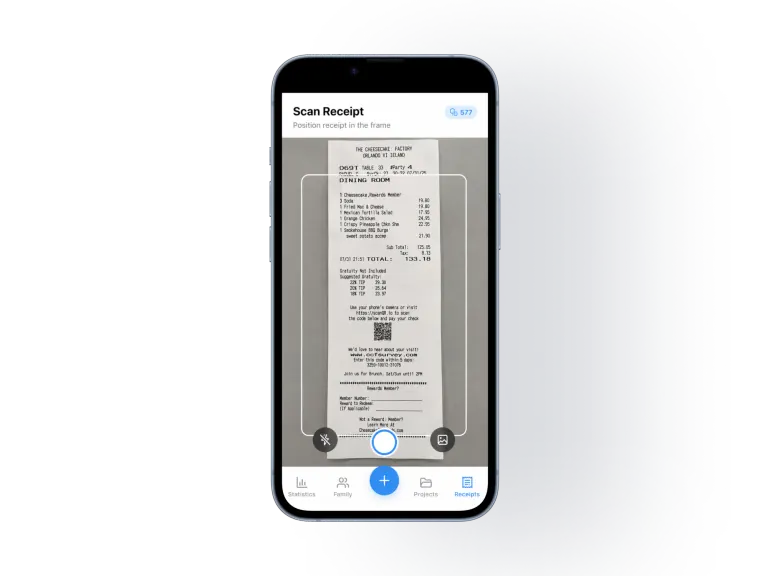
How to split the bill in SplitSlip
- Create a project for the meal, or open the one you already use for this group.
- Add the bill. Add it by hand for free, or scan it. The AI scan reads the receipt into line items. Check the items and amounts before you assign them.
- Add people, including friends who don't have the app, as guests.
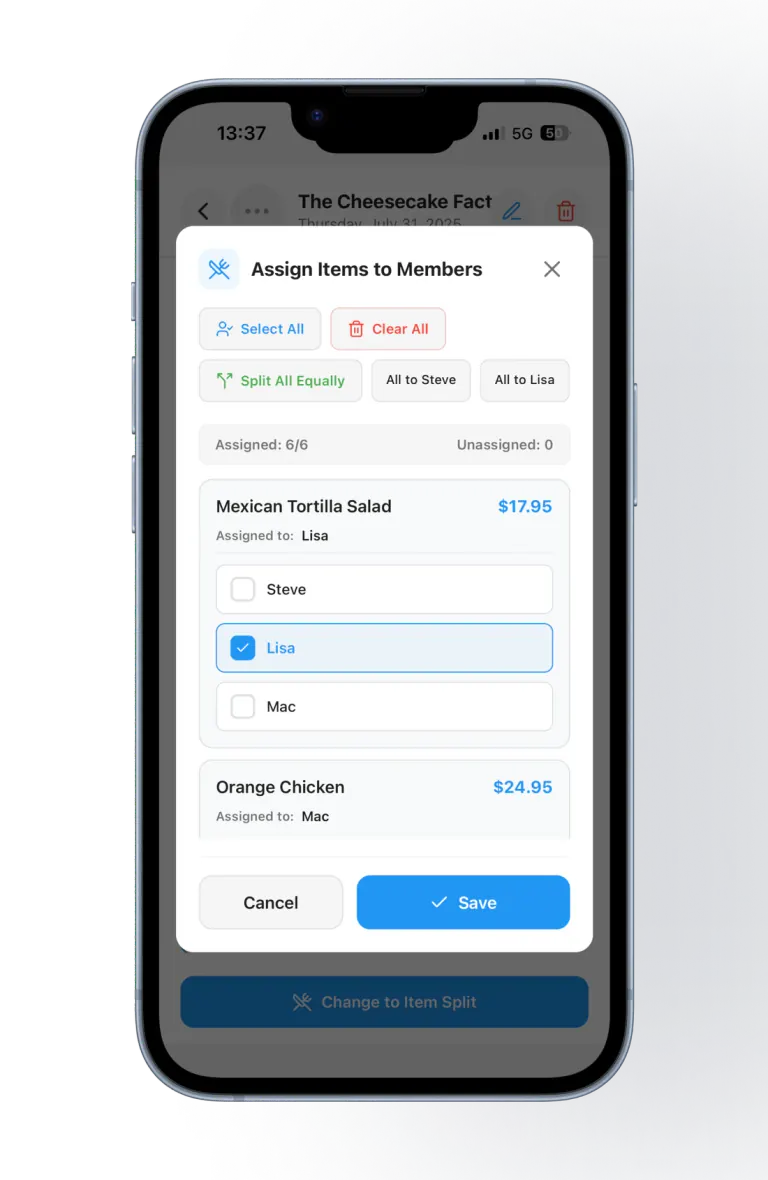
- Split evenly, or assign each item. A shared item can be split across the people who had it.
- Check the total. The shares should add up to what was paid.
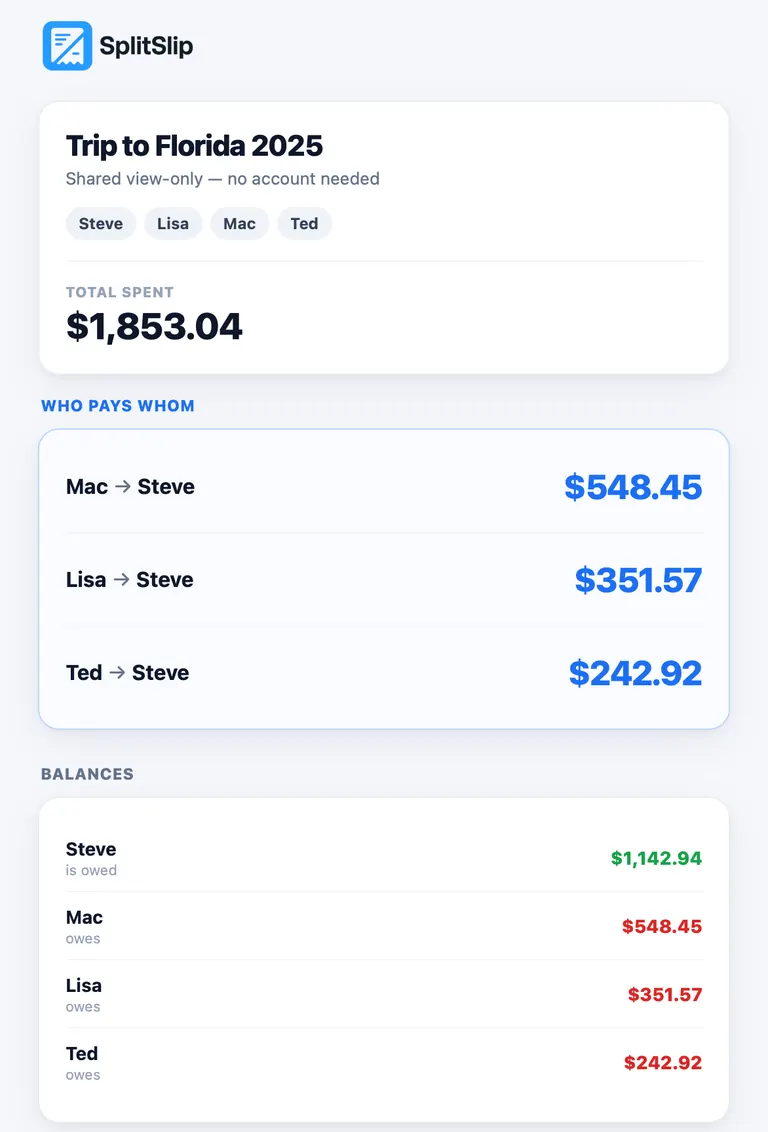
- Share the guest link. Friends open it in the browser and see the items, the split, and what they owe. The link is view-only, and they don't need to install anything to see it. To join the project and edit, they install SplitSlip and sign in.
- Settle up outside the app. SplitSlip shows who owes what. The money moves outside the app, the way your group already pays each other.
What it costs
Core features are free forever, and manual entry is always free, so you can split a bill without paying anything by adding it by hand. AI scanning is optional: you get 50 free AI scans, and after that, more AI scans are available as in-app purchases. The scanning steps on their own are on the receipt scanner page.
What this page is not
Costs that run on with the same friends, across many days, belong on the page about splitting expenses with friends. A trip with trains, a hotel, and meals over several days belongs on the travel expense splitter page. This page stays with one shared check.
Five habits that keep one bill simple
- Agree before you order whether the split is even or by item.
- Let one person pay, then share one breakdown instead of several card payments at the till.
- Photograph the receipt before you leave. Paper receipts disappear quickly.
- Assign shared items while you are still there, while everyone remembers who had them.
- Send the guest link the same evening, so the shares are still fresh.
Questions about a split bill app
What is a split bill app?
A split bill app records one shared check, splits it evenly or by item, and shows who owes what. In SplitSlip you add the bill by hand for free, or scan it. You settle outside the app.
Can we split a bill evenly?
Yes. Split evenly when everyone shared the bill the same way. Assign each line when the orders differ, and split a shared item across the people who had it.
Do my friends need the app?
Not to see what they owe. Guests can view a shared link without an account. The link opens in the browser and is view-only. To join the project and edit, they install SplitSlip and sign in.
Can we pay each other inside SplitSlip?
No. SplitSlip shows who owes what. The money moves outside the app, the way your group already pays each other.
Is SplitSlip free?
Core features are free forever, and manual entry is always free. You get 50 free AI scans, and after that, more AI scans are available as in-app purchases.
What if the scan reads the receipt wrong?
Always check the items and amounts after scanning, before you assign them. You can also add the bill by hand instead.
Split the next check in the app
Add the bill by hand for free, or scan it, and send your friends a guest link.
Get SplitSlipOr go straight to the App Store or Google Play.