
A travel expense splitter for a trip with friends
A weekend away collects more than one bill. Someone buys the train tickets, someone else pays the hotel, and a third person covers dinner. A travel expense splitter keeps those costs in one project for that trip, so you can see who paid and who owes what when you get home.
This page is about the trip. Ongoing costs that are not a trip belong on the page about splitting expenses with friends. One check from a single meal, with no other trip costs, fits the split bill app page.
Which costs belong on the trip
Sort the costs first:
- Transport: train, fuel, tolls, a taxi, or parking, for the people who actually travelled that way.
- Lodging: the hotel for the nights you shared.
- Food: a grocery shop for the group, and meals out.
- Activities: a museum, a match, or a tour that only some of you joined.
- Personal buys: a souvenir or a snack for one person stays out of the shared project.
Something everyone used can be split evenly. Something only two people used is split across those two.
A worked example: four friends, two nights
The amounts are example numbers, not prices from a real trip. Alex, Sam, Jordan, and Riley go away for two nights. Only Alex and Jordan go to the museum.
| Cost | Amount (example) | Paid by | Split across |
|---|---|---|---|
| Train | $120 | Alex | all four |
| Hotel, two nights | $400 | Sam | all four |
| Groceries | $80 | Sam | all four |
| Museum | $48 | Alex | Alex and Jordan |
| Dinner | $96 | Riley | all four |
| Total | $744 |
The train is $30 each, the hotel $100, the groceries $20, and dinner $24. The museum is $24 each for Alex and Jordan. Alex owes $30, Jordan owes $198, and Riley owes $78. That is the $306 Sam is owed, and the shares add up to the $744 that was paid.
How to split the trip in SplitSlip
- Create a project for the trip, for example the city and the month, and add everyone who is going. Friends without the app can be guests.
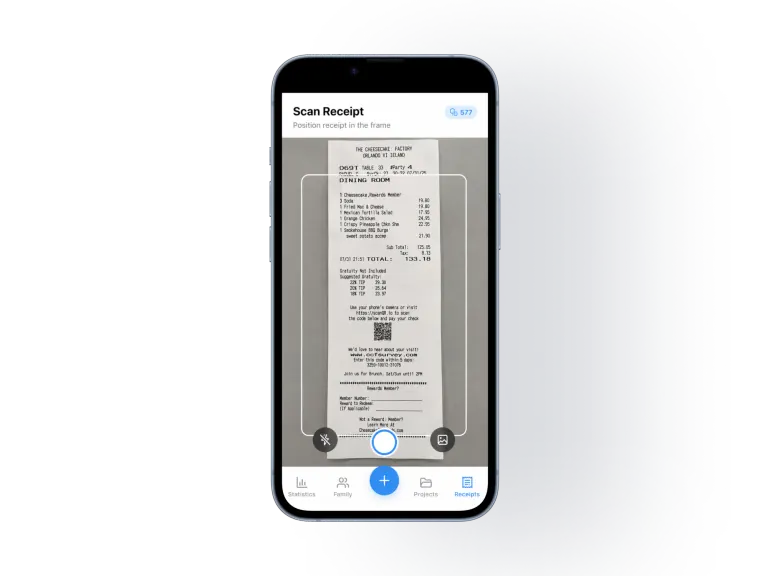
- Add each cost and who paid. Add it by hand for free, or scan the receipt. The AI scan reads the receipt into line items. Check the items and amounts before you assign them.
- Split shared costs evenly across the people who were part of them. On a grocery receipt you can give each item to the people who should have it.
- Give the museum, the fuel, or the taxi to the people who used it, not to the whole group.
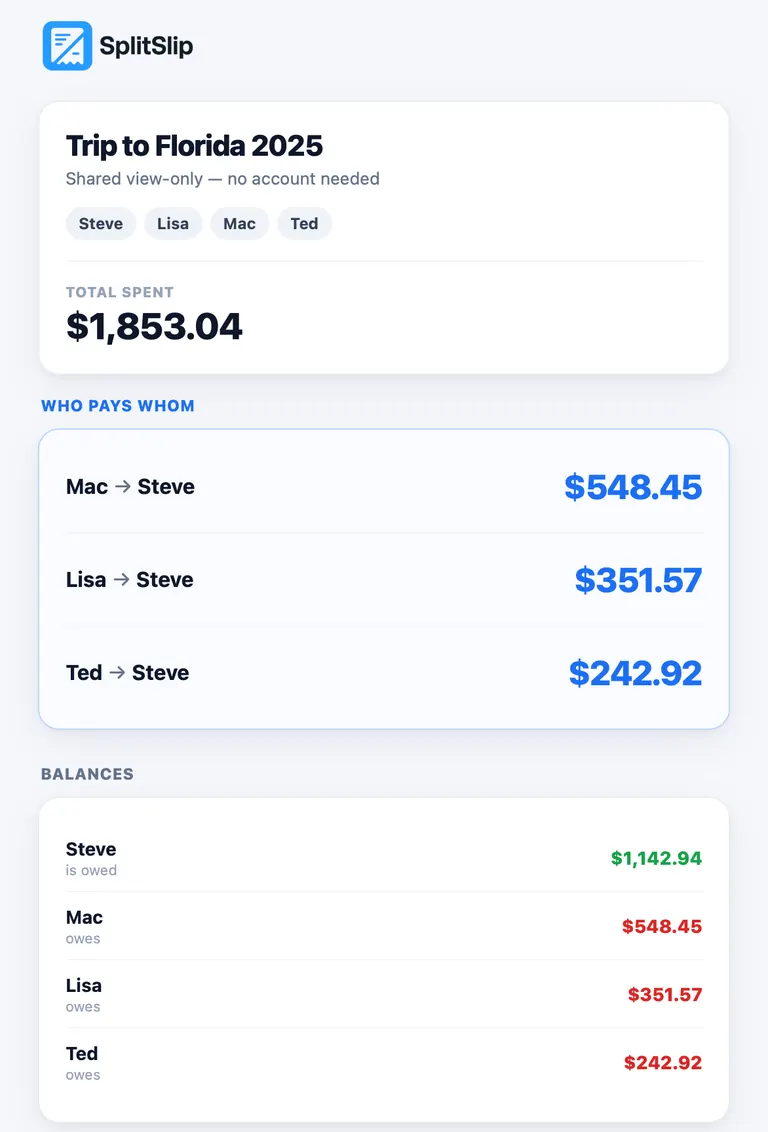
- See who owes what. SplitSlip shows the shares and who should pay whom.
- Share the guest link. Guests can view a shared link without an account. They open it in the browser and see the costs and what they owe. The link is view-only. To join the project and edit, they install SplitSlip and sign in.
- Settle up outside the app. SplitSlip shows who owes what. The money moves outside the app, the way your group already pays each other.
A dinner on the road can be split by item in the guide to splitting a restaurant bill. A tip included in the bill is shared in proportion to each person's items. Don't add tax or tip as extra items in the app, or they will be counted twice. Scanning is described on the receipt scanner page.


What it costs
Core features are free forever, and manual entry is always free. You can track the whole trip by adding costs by hand. AI scanning is optional: you get 50 free AI scans, and after that, more AI scans are available as in-app purchases.
Questions about splitting travel expenses
How do you split travel expenses?
Put each cost in one project for the trip. Split what everyone used, such as the hotel and shared meals, evenly across the people who were there. Split the rest, such as a museum or a taxi, across the people who used it. Compare what each person paid with what they should have paid, and settle outside the app.
Can some costs be split across only part of the group?
Yes. Give that cost to the people it was for. A museum ticket for two people is not a share for the friends who stayed behind.
Do my friends need the app on the trip?
Not to see what they owe. Guests can view a shared link without an account. The link opens in the browser and is view-only. To join the project and edit, they install SplitSlip and sign in.
Can we pay each other inside SplitSlip?
No. SplitSlip shows who owes what. The money moves outside the app, the way your group already pays each other.
Is SplitSlip free for a trip?
Core features are free forever, and manual entry is always free. You get 50 free AI scans, and after that, more AI scans are available as in-app purchases.
What if the scan reads a receipt wrong?
Always check the items and amounts after scanning, before you assign them. You can also add the cost by hand instead.
Ready for the next trip?
Create a project for the trip, add the costs by hand for free or scan the receipts, and send the group a guest link.
Get SplitSlipOr go straight to the App Store or Google Play.